
When it’s 3 PM here,
what time is it there?
World Clocks 24 shows every time zone side by side, with its date and when daylight saving changes. A slider moves time 24 hours either way and a date picker jumps to any day. Plan meetings, flights and calls without doing the math.
Download on the App Store → Google Play for Android — coming soonMeetings
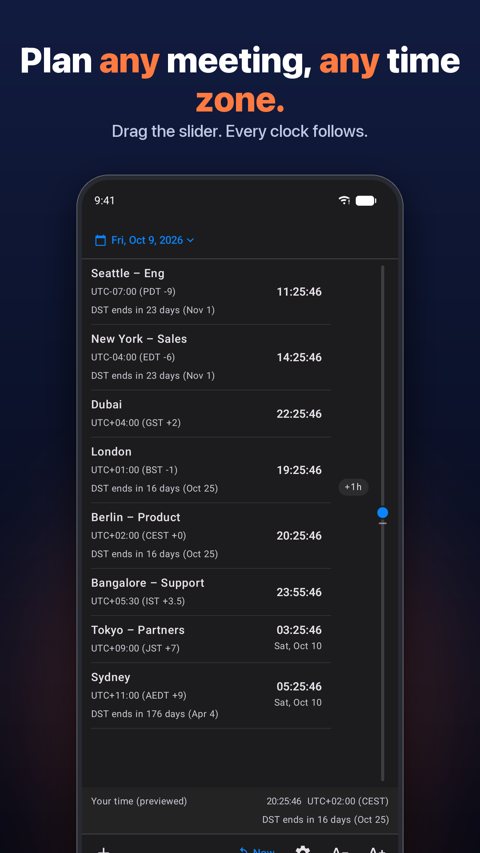
Drag the slider to 9 AM in Seattle and read every other clock at once. Find the hour that works for Berlin, Bangalore and Tokyo in one move.
Flights & travel
Landing in Tokyo at 6 PM? Slide ahead to arrival and see what time it is at home, at your layover and for the person picking you up.
Remote teams & family
Label clocks “Mom”, “Support” or “Partners”. Know who is asleep before you hit call.
Know when the clocks change
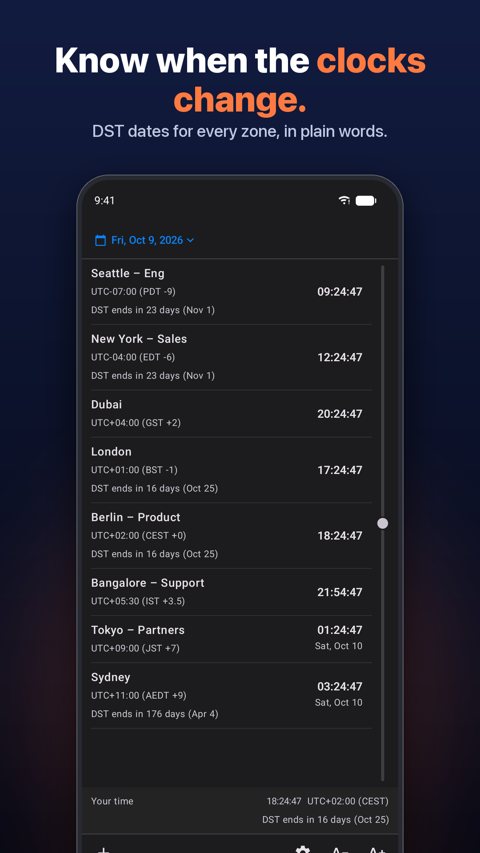
Every clock says when its daylight saving time starts or ends, like “DST ends in 17 days (Oct 25)”. Each zone uses its own rules, and zones without DST show nothing. Europe and the US change on different weekends, so for a week the London–New York gap shifts by an hour. Now you see it coming.
Plan any day
Tap the date at the top and pick one: a calendar on iPhone and iPad, a popover on Mac. Every clock shows that day, with its own date when it is a different day there. Combine it with the 24-hour slider to land on an exact hour on an exact day.
Every detail shown
UTC offset, zone code (CEST, JST, AEDT…) and hours ahead or behind you, next to every clock. Handles odd offsets like +5:45 and +12:45.
Precise slider
It locks at “now” and at every whole hour, with a haptic tick on iPhone and iPad, and, if you turn on “Show Time Zone on Slider” in Settings, tells you which zone you are moving into (+2h GST, +9h AEDT), so you land on an exact offset without watching the screen.
21 languages
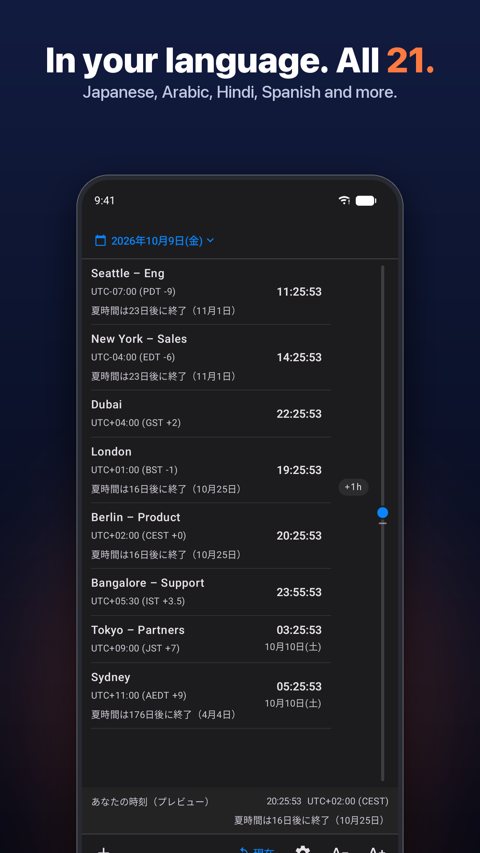
English, Spanish, French, German, Italian, Brazilian Portuguese, Russian, Japanese, Korean, Turkish, Vietnamese, Simplified Chinese, Arabic, Hindi, Bengali, Urdu, Marathi, Tamil, Telugu, Hausa and Indonesian. Pick one in Settings › Language and the whole app switches at once, or leave it on System. City names are searchable in your language too.
Make it yours
Four fonts, any text size, custom labels, optional seconds, and your own date format. Turn the DST notes off for a cleaner list. On Mac, resize the window from a single row to a full list.
Private by design
No account, no ads, no tracking. Your clock list stays on your device.
Coming to Android
World Clocks 24 for Android has the same clocks, slider, DST dates and 21 languages. $2.99 once on Google Play, a separate purchase from the Apple apps. No ads, no account, no tracking.
See it work


